Check your website's SEO in thirty minutes, for free
A timed walkthrough using only free tools, in the order that finds real problems fastest, and an honest note on what free tools cannot tell you.
Entrovix AIAug 7, 2026 10 min read
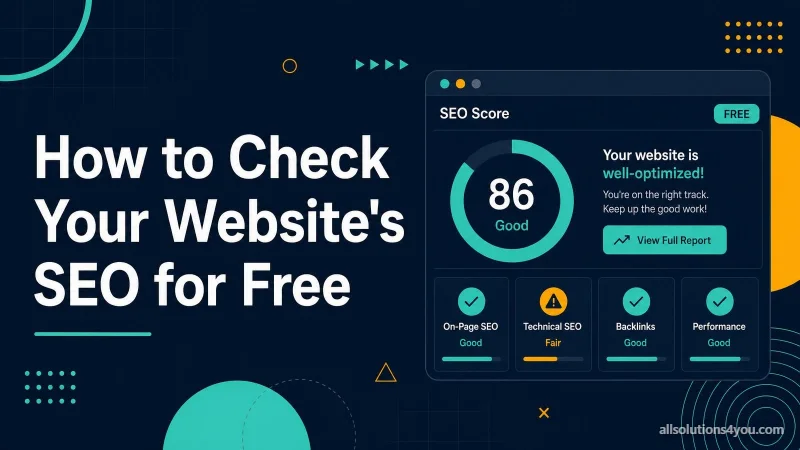
You do not need a subscription to find out whether your website has a serious SEO problem. Most of what matters is visible in free tools, and the genuinely expensive data is not what is holding a typical small site back.
This is a half-hour sequence, ordered so that the checks most likely to find something come first. If you only have ten minutes, do the first two steps.
Minutes 0-8: Search Console
If you take one thing from this article, take this. Google Search Console (opens in a new tab) is free, and it is the only place where Google tells you what it actually did with your site. Everything else is inference.
Verify your site if you have not, then open three reports in this order.
- 1Pages. Compare indexed against not indexed, and read the reasons given. If the indexed count is far below your real page count, that is your problem and it outranks everything else here.
- 2Performance. Sort queries by impressions. Note anything sitting between position 8 and 25 — those are pages Google already rates and that a modest edit can move.
- 3Security and Manual Actions. Rare, but if there is something here, nothing else matters until it is resolved.
Most sites find something in the Pages report. Pages excluded by a noindex tag nobody meant to leave in, whole sections marked as duplicates, or hundreds of parameter URLs Google has crawled and discarded.
Minutes 8-12: is your key page actually in the index?
Take the page that matters most commercially and run it through URL Inspection in Search Console. It reports whether the page is indexed, which canonical Google chose, when it was last crawled, and what stopped it if it is not there.
Watch for two results in particular. "Alternate page with proper canonical tag" means Google indexed a different URL instead of this one — check whether that was intentional. "Crawled — currently not indexed" means Google looked and declined, which is usually a judgement about quality rather than a technical fault.
Minutes 12-18: what the page declares
Now look at what the page tells search engines about itself. You can do this by reading the source, or in one pass with an audit tool.
The four things worth confirming by hand if you are doing it manually: there is no noindex, the canonical names this page, the title is unique and describes the page, and there is exactly one H1.
Minutes 18-24: speed, measured properly
Run the page through PageSpeed Insights (opens in a new tab). Then ignore the big coloured number, at least at first.
Scroll to the section headed with real-user data. That is field data from actual Chrome visitors over the last 28 days, and it is what Google assesses. The lab score below it is a simulation on a throttled connection, useful for diagnosing causes and not for judging whether you have a problem.
| Metric | Passing | Usual cause when it fails |
|---|---|---|
| Largest Contentful Paint | 2.5s or less | An oversized hero image, or a slow server |
| Interaction to Next Paint | 200ms or less | Third-party scripts occupying the main thread |
| Cumulative Layout Shift | 0.1 or less | Images or ads with no reserved space |
If the report says there is not enough real-world data, your site does not get enough Chrome traffic for Google to sample. That is not a fault, and it means the lab score is all you have to work with.
Minutes 24-30: links and the obvious breakages
Two final checks, both cheap and both frequently productive.
Then open the site on your own phone, on mobile data rather than wifi, and try to complete the thing a customer would come to do. Half the usability problems a paid audit would report are obvious within a minute of doing that, and no tool reports the feeling of it being awkward.
What free tools genuinely cannot tell you
Worth knowing before you conclude the site is fine.
- Accurate backlink data. Building a link index costs millions to maintain, which is why nobody gives it away. Free backlink checkers show a partial sample.
- Reliable search volume. The figures are modelled estimates, bucketed, and least reliable at exactly the low volumes where the best opportunities are.
- Keyword difficulty. Every score is a vendor's own formula rather than a measurement. What keyword difficulty actually means covers how far to trust one.
- Your true ranking position. Results are personalised by location, history and device. Search Console's average position is the closest thing to an honest answer.
The data you have to pay for is rarely what is holding a small site back. It is usually a noindex tag, a page nobody links to, or a page that answers a different question from the one it targets.
What to do with what you found
- 1Anything preventing indexing gets fixed today. Nothing else competes with this.
- 2Then the pages ranking between 8 and 25 in Search Console. Best return available for the effort.
- 3Then whichever field metric is failing, if one is.
- 4Then titles and descriptions on the pages that earn money.
- 5Then, and only then, everything else.
If you would rather have the full inventory than the half-hour version, the technical SEO checklist has all fifty checks with priorities, and the free tools list covers what each tool is genuinely good for.